
Just-in-time learning (JIT learning) means giving people the knowledge or skill they need at the moment they need it, instead of in a scheduled class weeks before or after the problem shows up. A manager about to run a hard feedback conversation gets a two-minute lesson on how to open it. A new hire stuck on a process finds the answer in seconds. The learning is short, specific and tied to a real task.
This guide explains the idea, shows what it looks like for employees and emerging leaders, lays out design principles you can apply, and covers where it works best and how to pair it with habit-building so it sticks.
TL;DR
- Just-in-time learning delivers need-related training exactly when and how the learner needs it, rather than on a fixed calendar.
- It works through short formats: brief videos, targeted e-learning, job aids and microlessons built around a single outcome.
- Research on performance support and workflow learning points to benefits in onboarding, skill building and less reliance on formal courses.
- The design test is simple: if people cannot find the answer fast, the moment is lost, so search, triggers and mobile access matter.
- For leadership, pair just-in-time moments with a guided learning journey so quick answers turn into repeated habits.
Table of Contents
- What just-in-time learning means
- How it differs from traditional training
- Examples of just-in-time learning at work
- Why organizations use it
- How to design just-in-time learning that people use
- Making just-in-time learning work for leadership
- Our perspective
- Bring just-in-time leadership learning to your people
- Measuring whether it works
- Common mistakes to avoid
- FAQ
- Sources
What just-in-time learning means
Just-in-time learning is an approach to individual and organizational development in which need-related training is available exactly when and how the learner needs it. That separates it from structured training and scheduled professional development, which are offered on set dates and times whether or not anyone has a need that day.
The idea has been in the research literature for a long time. In 2003, Dale Brandenburg and Andrea Ellinger defined it as anywhere, anytime, anyhow learning that is just enough, just for me, and just in time. Those four phrases still work as a checklist:
- Anywhere, anytime, anyhow: the learner chooses the place, time and device.
- Just enough: the content covers the need and stops.
- Just for me: it fits the person's role and situation.
- Just in time: it arrives while the task is still open.
The same logic sits behind terms you will see used almost interchangeably: learning in the flow of work, performance support, on-demand learning and just-in-time training. They overlap heavily. "Training" usually refers to the content an organization builds. "Learning" puts the emphasis on what the person does with it.
How it differs from traditional training
Traditional training bets on prediction. Someone decides what people will need, builds a course, schedules it, and hopes the knowledge is still in memory when the situation arrives. Just-in-time learning bets on availability: build small, findable pieces and let the need pull them in.
| Traditional training | Just-in-time learning | |
|---|---|---|
| Trigger | Calendar or enrollment | A task, question or event |
| Length | Hours or days | Seconds to a few minutes |
| Content | Broad curriculum | One outcome per piece |
| Delivery | Classroom, long course, webinar | Phone, desktop, job aid, short video |
| Timing relative to use | Before, often well before | At the moment of use |
| Best for | Foundations and deep concepts | Applying, adjusting and solving |
That last row matters. Connie Malamed, drawing on Mosher and Gottfredson, describes five moments of need: New, More, Apply, Change and Solve. The first two, learning something for the first time and expanding on it, tend to benefit from structured learning. The last three, applying knowledge, adapting to change and solving new problems, tend to benefit from performance support and just-in-time information. Most organizations need both, in sequence.
Examples of just-in-time learning at work
The format changes by role, but the pattern is the same: a real task, a short piece of help, immediate use.
For frontline and new employees
- A short video showing how to process a return in a new system, opened from the system itself.
- A printed or digital checklist that keeps steps from being skipped. Malamed gives the example of a checklist used during a medical procedure, and notes that performance support exists because human memory has limits.
- A searchable answer library that a help desk or onboarding buddy can point to.
For emerging leaders and managers
- A two-minute lesson on running a one-on-one, read on the phone ten minutes before the meeting.
- A short guide to giving difficult feedback, opened right after a project goes sideways.
- A quick self-reflection prompt before a team meeting: what do I want people to leave with?
We have collected ready-to-use ideas in 12 leadership microlessons managers can deliver in 2 to 7 minutes, which show how small these pieces can be.
For senior teams
A 2008 Chief Learning Officer article on just-in-time executive development describes a do-learn-do approach. A senior team responds to an urgent business problem and learns while doing, in increments that begin right then and end within days or weeks. The learning happens in compressed chunks, when the need is high and the action is hot. The article also stresses that the group keeps responsibility for applying what it learns through line execution over time, which separates this from traditional action learning.

For educators and students
Faculty and student leaders face the same pattern. A student officer preparing to lead a first chapter meeting, or a faculty member taking on a department role, needs help this week, not next semester. Short lessons, reflection prompts and scenario practice delivered on a phone fit that rhythm.
Why organizations use it
Learning that matches the work
A 2025 study from Boise State University surveyed 84 people and interviewed 21 across 21 organizations about performance support and workflow learning. Three strengths came up repeatedly: just-in-time support for work, skill building and onboarding; data that helps managers spot process efficiencies; and less time spent on, and reliance on, formal learning. That is a useful summary of why teams adopt the approach.

Better retention and a sense of empowerment
When learning meets only the immediate need, it helps retention and can promote feelings of empowerment, according to the overview of the approach. The reasoning is practical. A person who uses a lesson within minutes of reading it is practicing it, and practice is what makes new behavior stick.
Less time away from the job
Learning has to compete with the workday. Short, task-linked pieces ask for minutes, not blocks of calendar. That makes participation realistic for people who would never sign up for a full course, including frontline employees, volunteers and part-time staff.
Useful signals for the people who run learning
Because usage happens in the open, you can see which topics people look up, when, and what they do next. The Boise State findings noted that data useful for management was one of the perceived strengths. That feeds the next round of content.
How to design just-in-time learning that people use
The approach fails quietly when people cannot find the right piece, or when pieces are too long to use mid-task. The Wikipedia overview says it directly: the information must be findable and understandable by the person who needs it, or they get distracted and lose the benefit.
eLearning Industry's 2026 article sets out seven design principles that work well as a build checklist:
- Context-aware triggers. Offer help inside the moment, not in a separate portal people forget.
- Hyper-searchability. If it takes more than three clicks to find an answer, the just-in-time moment is already lost.
- Cross-platform access. Phone, laptop and shared screens all count.
- Fast feedback and freshness. Update content when the process or policy changes.
- Micro-formats with a single outcome. One piece, one thing the learner can do afterward.
- Governance without friction. Clear ownership and review, without slowing publication to a crawl.
- Signals and personalization tied to events. Trigger help from what happens, such as a promotion or a new team, not an arbitrary calendar.
Plan around the moments, not the topics
Planning requires you to anticipate what various learners will need, when and where they will be when the need arises, and then create focused, accessible content for it. The usual formats are short online videos, targeted e-learning, job aids and related real-world information.
A practical way to start:
- List the ten situations where your people most often get stuck or hesitate. For new managers, these are often first one-on-ones, delegating, giving feedback and handling conflict.
- For each, write the single outcome: "After this, I can open a feedback conversation without blame."
- Build one piece per outcome, sized for a phone.
- Decide where the person will be when the need hits, and put the piece there.
- Review what gets used and what gets ignored after the first month.
If your team is deciding how content and delivery should fit together, a guide on choosing between an LXP and an LMS helps frame the planning questions for immediate needs.
Design for the phone
People reach for the device in their hand. Lessons shrunk down from desktop courses tend to be awkward to use. Our notes on mobile learning design explain how to build for the small screen from the start.
Use AI to shorten the build
One common bottleneck is turning long documents into small pieces. We describe an approach to turning 500 pages into 40 two-minute lessons, so subject-matter material becomes searchable, usable lessons without months of production.
Making just-in-time learning work for leadership
Leadership is where timing matters most. Nobody becomes a better listener from a slide deck read once in January. They improve by trying a behavior in a real conversation and trying it again. Research on microlearning cautions that deeper conceptual understanding and complex behavior change need deliberate instructional design, and that these formats assume learners can identify their own needs and choose the right modules. The same review notes this may not hold for every learner.
That points to a clear design answer: do not leave people to hunt alone. Combine three things.
- A guided journey. A sequence of short lessons that builds a skill over weeks, so the foundation is there when the moment comes.
- Moment-of-need help. Quick lessons, prompts and exercises a person can open before a meeting or after a hard conversation.
- Habit loops. Small exercises repeated over time, so a behavior moves from "I read about it" to "I do it."
This is the model behind how we think about microlearning and macrolearning together: short pieces for the moment, a longer arc for lasting skill. If you want to test the concept in your own organization, a six-week pilot for flow learning gives you a clear way to define success measures and see how people use it.
Where it fits best
| Situation | Just-in-time fit |
|---|---|
| New manager prepping for a first one-on-one | Strong: short lesson and prompt before the meeting |
| Rolling out a new tool or process | Strong: in-app help and quick videos |
| Building a team's feedback culture over months | Best with a guided journey plus moment-of-need nudges |
| Documented compliance sign-off | Handle with formal tracking alongside quick refreshers |
| Deep, multi-perspective topics | Use a structured sequence, then reinforce with short pieces |
A 2026 review of microlearning in corporate training found that organizations often underestimate the instructional design, production, technology and change management effort required, as the Kassabi and Khaldi review reports. Plan for that investment up front and the approach pays off more reliably.
Our perspective
We built Leaderly around a simple belief: leadership development should not be a privilege reserved for managers who get sent to a workshop. Leadership shows up in a Tuesday afternoon conversation, in a tough call, in the moment someone decides whether to speak up. That is exactly when learning is most useful.
Just-in-time learning is the right instinct, and we pair it with behavioral science. A single great lesson helps once. A well-timed lesson, followed by a small practice exercise and another a few days later, changes what people do. So Leaderly combines frequent microlessons, practical exercises and assessments with personalization that adapts to each person's path.
We also think the people running learning deserve better visibility. HR teams and educators can customize content, scale programs to every employee rather than managers only, and use analytics to see where people are engaging. That turns just-in-time moments into a program you can steer.
If you are starting, start small: pick the five situations where your people most need help, build one short piece for each, and put it where they already work. Then keep going.
Drew
Bring just-in-time leadership learning to your people
Leaderly AI is a mobile-first platform that delivers personalized microlessons, habit-building exercises, self-assessments (including DiSC, EQ and MBTI), surveys, simulations and analytics dashboards. HR teams can customize learning journeys so leadership development reaches all employees, volunteers or students, not only managers. Learn more at Leaderly AI, or see how it works for business teams, nonprofits and higher education.
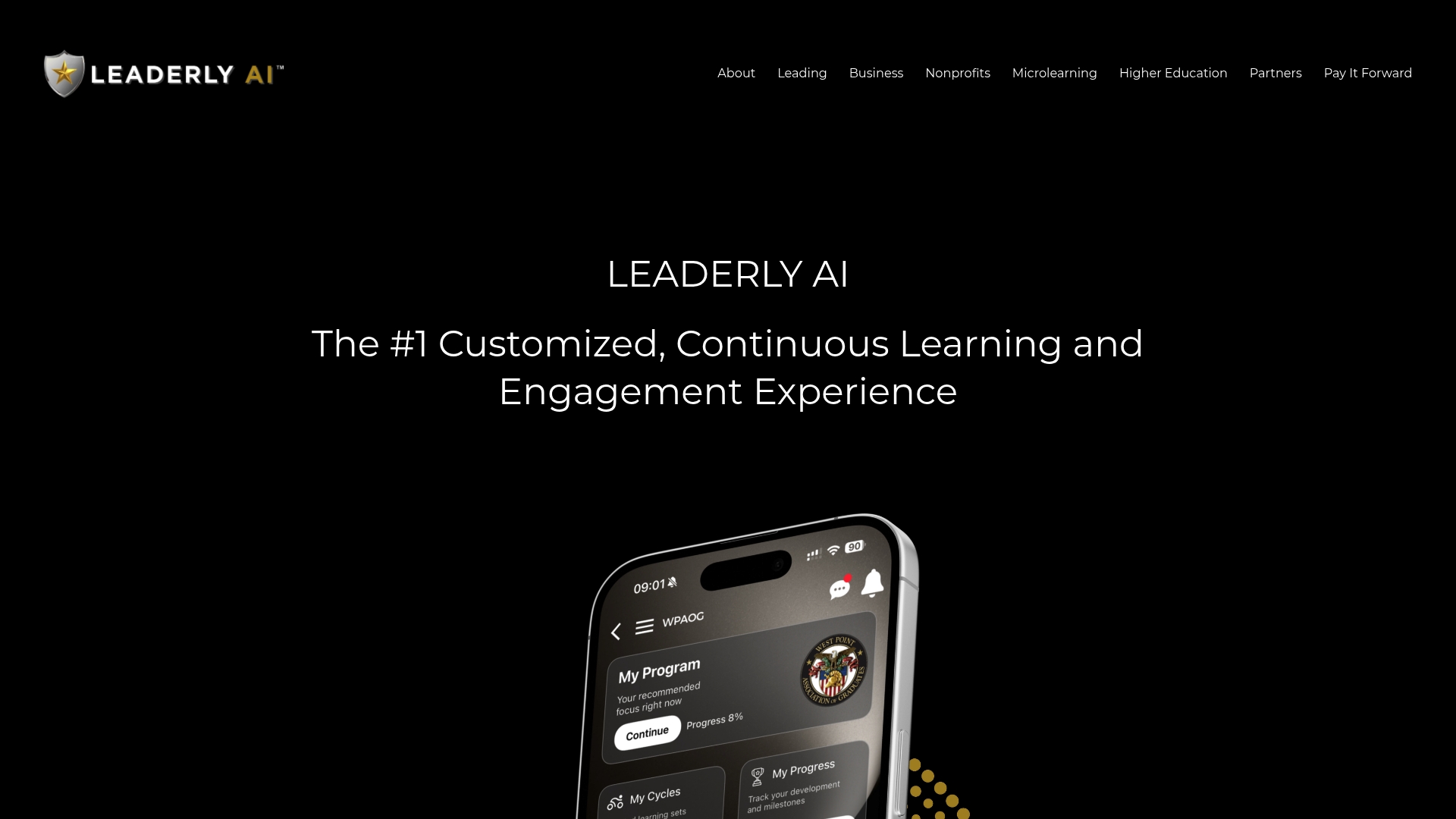
If you want to see the format first, our overview of microlearning for leadership shows the style of lesson we mean.
Measuring whether it works
Treat the first quarter as a learning exercise for the program itself. A few measures keep it honest:
- Usage at the moment of need. Are people opening lessons before meetings, during projects, after events? Timing says more than total logins.
- Findability. Ask a handful of people to find an answer to a real question. If it takes more than a few taps, fix search and titles before adding content.
- Application. Short check-ins: did you use it, and what happened? A survey after a lesson is more useful than a quiz.
- Behavior over time. Pair self-assessments with manager observations at the start and a few months later.
- Content freshness. Track which pieces are outdated and who owns them.
If budget is part of the planning conversation, our microlearning cost benchmarks lay out what to weigh.
Common mistakes to avoid
- Building a library nobody can search. Titles should match how people phrase the problem, not internal course names.
- Making pieces too long. If it needs a full coffee break, it is no longer a moment-of-need piece.
- Skipping the foundation. Newcomers to a topic benefit from a short structured start before on-demand help makes sense.
- Forgetting managers. Managers shape whether people feel they have permission to learn during work hours.
- Letting content age. Stale answers teach people to stop looking.
- Ignoring the data. Usage patterns tell you the next ten pieces to build.
FAQ
What is just-in-time learning?
It is learning delivered at the moment of need, in small, focused pieces, instead of on a fixed schedule. The learner pulls what they need when a task or problem appears. Typical formats include short videos, targeted e-learning and job aids.
What is the JIT method of teaching?
In the workplace, it means designing short, single-outcome content and making it easy to find and open during work. In education, it means giving students help in time to use it for the task at hand. Either way, the content is built around real needs and not a fixed calendar.
What are some examples of just-in-time learning?
Examples include a quick video inside a software tool, a checklist for a procedure, and a two-minute lesson a manager reads before a feedback conversation. Senior teams can use a do-learn-do approach, learning in increments while working through an urgent business problem.
What is just-in-time support?
Just-in-time support is help available during the task itself, often called performance support. It includes tools, resources and systems that assist memory during work, such as a database of solutions for help desks or a checklist that keeps steps from being skipped.
Sources
- Just-in-time learning (Wikipedia)
- The Future: Just-in-Time Learning Expectations and Potential Implications for HRD (Human Resource Development Quarterly, 2003)
- Just-in-Time Executive Development (Chief Learning Officer, 2008)
- Empowering Organizational Learning: Technology-Driven Performance Support (Boise State University, 2025)
- Microlearning in corporate training and professional development (Kassabi and Khaldi, 2026)
- Just-In-Time Enablement: Learning For Real-World Performance (eLearning Industry, 2026)
- Get Started with Performance Support (The eLearning Coach)
- Working With The Five Moments Of Need (The eLearning Coach)