
If you want fast, low-risk value from an HRIS-to-LMS connection, prioritize targeted provisioning and completion reporting over full bidirectional sync. Build it with SSO, SCIM, and xAPI or webhooks, matched to each data flow's urgency. Done right, this pairing speeds up onboarding and gives you auditable compliance records without the fragility of syncing every field between systems.
TL;DR:
- Prioritize targeted provisioning and completion reporting using APIs, SCIM, and webhooks, rather than building a full bidirectional sync, for faster onboarding.
- Use webhooks for real-time lifecycle events like hires and terminations, reserving batch exports for non-urgent updates to reduce security risks.
- Map only essential fields such as employee ID and role, clearly assigning ownership to HR, IT, and L&D, to avoid scope creep and rework.
- Conduct a phased rollout with discovery, pilot, validation, and gradual expansion, including rollback plans and testing edge cases like contractors.
- Implement ongoing monitoring, regular audits, controlled updates, and version management to maintain a reliable, secure HRIS-to-LMS integration over time.
Table of Contents
- What HRIS-to-LMS integration is and what it should not do
- Integration methods and standards: APIs, xAPI, SCIM, SSO, and webhooks
- Field mapping and data governance: what to sync and who owns it
- Implementation plan and timeline: discovery, pilot, validate, roll out
- Security, identity, and privacy considerations
- High-value automations to prioritize for fast ROI
- Detailed error handling and recovery strategies during integration failures
- Best practices for ongoing monitoring and maintenance post-integration
- Version control and update management for integrated systems
- Change management and stakeholder communication during integration rollout
- Common pitfalls and expert anti-patterns
- How microlearning platforms fit into HRIS learning integrations
- Leaderly as your next step after integration
- FAQ
- Sources
What HRIS-to-LMS integration is and what it should not do
HRIS integration learning means connecting your human resources information system to your learning platform so the right people get the right training automatically, and HR can prove it happened. In practice, your HRIS stays the system of record for employment status, job roles, and manager hierarchy, while your LMS owns enrollment history, completion records, and certifications. Treating both systems as equally authoritative for every field is where most projects break down.
The core objectives are narrow on purpose:
- Provision learner accounts automatically when someone joins, changes roles, or leaves
- Trigger enrollments based on job profile, department, or compliance requirement
- Sync completion and certification data back for reporting and audits
- Feed aggregated analytics into workforce planning dashboards
What the integration should avoid is just as important. Payroll figures, performance review scores, and other sensitive HR data have no reason to travel into a learning system, and pulling them in only expands your risk surface without adding training value.
Two outcomes make the case concretely. A new hire who starts on Monday can be auto-enrolled in onboarding content before their first day, instead of waiting for a manual add. A compliance team can pull a termination-date-stamped completion report in minutes instead of chasing spreadsheets across departments.
Integration methods and standards: APIs, xAPI, SCIM, SSO, and webhooks
Pick the method based on how fast the data needs to move and how much engineering support you have, not on what a vendor happens to push hardest.
- REST APIs handle most provisioning and enrollment calls and work well for near-real-time updates when both systems expose solid endpoints
- SCIM standardizes user lifecycle operations (create, update, deactivate) so you are not building custom provisioning logic for every platform
- SSO (SAML or OAuth2) authenticates users without a second password and should sit alongside SCIM, not replace it
- xAPI captures granular learning activity, useful when you need detailed analytics beyond simple pass or fail
- SFTP batch exports still make sense for bulk catalog updates or low-priority historical data
- Webhooks push lifecycle events (hire, role change, termination) the moment they happen
Event-driven webhooks beat nightly batch jobs for anything time-sensitive. A termination that takes 18 hours to deprovision through a batch cycle is a security gap; a webhook can close that gap in minutes. Reserve batch exports for things that genuinely do not need same-day accuracy, like a quarterly content catalog refresh.
xAPI and Learning Record Store patterns become worth the extra setup when you need to track activity at a granular level, such as time spent per module or interaction sequences, rather than just a completion flag. Workday Cloud Connect for Learning and LinkedIn Learning's integration guide describe exactly this kind of setup, using xAPI alongside automated catalog sync, and identifier mapping to keep completion reporting accurate.
Before committing to a method, weigh vendor support, the engineering hours available, and how resilient the connection needs to be if either system goes down for maintenance.
Pro Tip: Start with webhooks for lifecycle events and APIs for enrollment, then add xAPI only once you have a concrete analytics use case that batch completion data can't answer.
Field mapping and data governance: what to sync and who owns it
Map fields before you map anything else, because scope creep here causes more rework than any technical limitation.
- Identify canonical identifiers first. Employee ID, email, and department code need a single source of truth, usually the HRIS, so learner records never fork into duplicates.
- Map job-profile and skill data next. Role titles and skill tags drive automated enrollment rules, so they need consistent naming across both systems.
- Separate required from optional LMS fields. Completion date and course ID are required; custom learner notes or internal comments are usually not worth syncing.
- Apply data minimization rules. Salary, performance ratings, and health information should never cross into the LMS unless a specific, documented reason exists.
- Assign field ownership explicitly. HR owns employment status and role data; IT owns the provisioning and identity layer; L&D owns enrollment rules and completion definitions.
- Document conflict resolution. When two systems disagree on a field's value, decide in advance which system wins, rather than debugging it live during go-live week.
The SHRM module on HRIS integration backs this up directly: successful integrations map only essential fields and assign clear ownership rather than syncing everything by default. Skipping this step is the single most common reason projects stall mid-build, because nobody agreed in advance who fixes a mismatch when it appears.
Implementation plan and timeline: discovery, pilot, validate, roll out
A phased rollout keeps risk contained and gives you clear points to stop if something is not working.
- Discovery (2 to 4 weeks, led by HR and IT jointly). Confirm scope, canonical fields, and which systems own which data.
- Build (3 to 6 weeks, led by IT). Configure SSO, SCIM provisioning, and the enrollment triggers agreed on in discovery.
- Pilot (2 to 3 weeks, led by L&D with IT support). Run the integration against a representative group, not your easiest department.
- Validate (1 to 2 weeks, cross-functional). Check end-to-end lifecycle tests before scaling further.
- Roll out (phased over 4 to 8 weeks). Expand by department or location, monitoring each wave before moving to the next.
Your pilot test checklist should confirm: new-hire provisioning fires correctly, role-change triggers the right re-enrollment, completion data lands accurately in HR reporting, and termination deprovisions access on schedule. Tie your go-live decision to passing these end-to-end cycles, not to a date on a project calendar.
Build a rollback plan before go-live, not after a failure. Know which step disables the integration cleanly, how you reconcile any records created during the outage, and who gets alerted when a sync job fails silently.
Effort ranges vary by organization size. A small organization with a modern cloud HRIS and LMS might complete this in 6 to 8 weeks with one IT resource part-time. An enterprise with legacy systems, multiple business units, or custom fields often runs 4 to 6 months with a dedicated project lead.

Pro Tip: Pick a pilot group that includes at least one edge case, like a contractor or a dual-role employee, because the exceptions reveal mapping problems the easy cases never will.
Security, identity, and privacy considerations
Use SSO with SAML or OAuth2 to cut down password sprawl and reduce the attack surface that comes with learners juggling separate LMS credentials. Pair it with SCIM or a provisioning API to automate account lifecycle events, so deactivation happens the moment HR marks someone terminated rather than days later through a manual process.
- Encrypt data in transit and at rest between the HRIS and LMS
- Limit synced fields to what enrollment and reporting actually require
- Maintain audit logs for every provisioning and deprovisioning event
- Apply least-privilege access so integration service accounts can only touch the fields they need
When health data enters the picture, compliance obligations change. If your organization syncs any protected health information into training records, for example disability accommodations tied to course assignments, HIPAA privacy and security rules apply and must shape how you encrypt, minimize, and log that data. For a deeper walkthrough of identity pitfalls, our guide on LMS single sign-on for IT covers common SCIM and attribute mapping failures.
High-value automations to prioritize for fast ROI
Not every possible automation deserves equal priority. Rank by business impact against implementation effort, and start where both favor you.
- New-hire provisioning with auto-enrollment into onboarding pathways delivers visible value in week one and justifies the project to skeptical stakeholders
- Role or skill-triggered assignments keep training current as people move between positions, without someone manually tracking every transfer
- Certification renewal reminders tied to HRIS role data prevent compliance lapses before they become audit findings
- Completion-syncing for credential workflows turns scattered spreadsheets into a single reportable record
Rank remaining ideas by asking two questions: how many people does this touch, and how much custom engineering does it require? A high-impact, low-effort automation like onboarding enrollment should always ship before a low-impact, high-effort one like syncing optional learner preferences.
Detailed error handling and recovery strategies during integration failures
Integration failures are a matter of when, not if, so design for graceful recovery from the start. Build retry logic with exponential backoff for transient API failures, so a brief outage on either side does not require manual intervention. For persistent failures, route the failed record to a dead-letter queue rather than letting it silently drop, so nothing disappears without a trace.
Set up alerting that distinguishes between a single failed record and a systemic outage. A sync job that fails for one employee because of a malformed email address needs a different response than one failing for an entire department because an API credential expired. Build a reconciliation report that runs daily, comparing record counts and key field values between the HRIS and LMS, so discrepancies surface before they compound into a reporting problem weeks later.
Document a clear rollback procedure for each integration point. Know in advance whether you can safely pause provisioning while keeping existing enrollments intact, and whether reversing a bad sync requires a manual data fix or a full system restore. Assign an on-call owner for the first few weeks after go-live, since early failures are more common and need a fast response before they erode trust in the system among HR staff who depend on it daily.
Best practices for ongoing monitoring and maintenance post-integration
Monitoring does not end at go-live. Set up dashboards that track sync success rates, average processing time, and the volume of failed records, so a slow degradation in performance is visible before it becomes an outage. Review these metrics weekly for the first month, then shift to a monthly cadence once the integration proves stable.
Schedule periodic audits of the field mappings you built at launch. Job titles, department structures, and course catalogs change over time, and a mapping that was accurate on day one can quietly drift out of sync six months later. Build a lightweight process for HR or L&D to flag a new field or a changed business rule before it gets implemented, rather than discovering the mismatch after reports start looking wrong.
Keep a maintenance calendar that tracks both systems' update schedules. A vendor-pushed API version change or an LMS platform upgrade can break a working integration overnight if nobody is watching for it. Assign a named owner, not just a team, for ongoing maintenance, because shared responsibility without a specific person attached tends to mean nobody checks until something visibly breaks.
Version control and update management for integrated systems
Treat your integration configuration like code, even if no one on the team thinks of it that way. Keep a version history of every change to field mappings, API credentials, and trigger logic, so you can identify exactly what changed when something breaks after an update.
Test any vendor-side update in a staging or sandbox environment before it touches production data. Both HRIS and LMS vendors periodically update their APIs, and a deprecated endpoint or a changed field format can silently break a sync that was working fine the day before. Build a short regression checklist, covering provisioning, enrollment, and completion sync, that you run after every vendor update notification.
Coordinate version changes across both systems deliberately rather than letting each vendor's release schedule dictate your timeline. When your HRIS vendor announces an API version deprecation, give yourself a buffer of several weeks to test the new version against your existing mappings before the old one stops working. Keep a changelog accessible to both HR and IT so a mapping change made for one reporting need does not quietly break an automation built for a different purpose.
Change management and stakeholder communication during integration rollout
Technical success means little if HR staff do not trust the new system or managers do not know what changed. Communicate the rollout timeline to affected teams well before go-live, explaining specifically what will change for them: faster onboarding enrollment, automatic completion tracking, or fewer manual spreadsheet updates.
Identify the people who will notice first if something breaks, usually HR coordinators handling onboarding and compliance officers running reports, and give them a direct line to raise issues rather than routing everything through a general help desk. Run a short training session for anyone whose daily workflow changes, even if the change seems minor from an IT perspective.
Set expectations about the pilot phase explicitly. Tell the pilot group this is a test, invite their feedback, and follow up on what they report. A pilot that feels like a one-way broadcast instead of a two-way check tends to produce quieter, less useful feedback. Keep a visible record of decisions made during rollout, since six months later someone will ask why a particular field was excluded or why a certain group was rolled out last.
Common pitfalls and expert anti-patterns
The biggest mistake teams make is trying to sync everything bidirectionally instead of picking a handful of high-leverage flows and doing those well.
- Resist full parity between systems; a few automated flows done reliably beat a dozen done fragile
- Keep HR as the owner of person-of-record fields and IT as the owner of the identity provisioning layer, never blurred together
- Test deprovisioning and termination flows before wide rollout, since this is where security gaps hide longest
- Form a small cross-functional steering group early so ownership questions get answered before launch instead of during an incident
Architects who have run several of these projects consistently point to the same fix: narrow the scope, then expand only once the narrow version is boring and reliable.
— Drew
How microlearning platforms fit into HRIS learning integrations
A microlearning platform draws on the same role and skill data your HRIS already holds to personalize what each person sees next. This kind of data can be used to shape individualized leadership journeys, assigning behavioral microlessons based on someone's role, tenure, or stated development goals rather than a one-size-fits-all curriculum.
A practical automation example: a new people manager identified through HRIS role data gets auto-enrolled into a leadership microlearning path on their first day, with no manual setup required. Completion and engagement data then flows back into HR analytics, giving HR a clear view of who is building leadership habits and where gaps remain. For HR teams exploring how platform type affects this kind of personalization, our overview of scalable HR learning platforms walks through the ownership models involved.

Leaderly as your next step after integration
Once provisioning and reporting are wired up, we help you put that data to work: Role and skill data from your HRIS can be turned into automatic microlearning enrollment, with analytics that show HR who is building leadership habits.
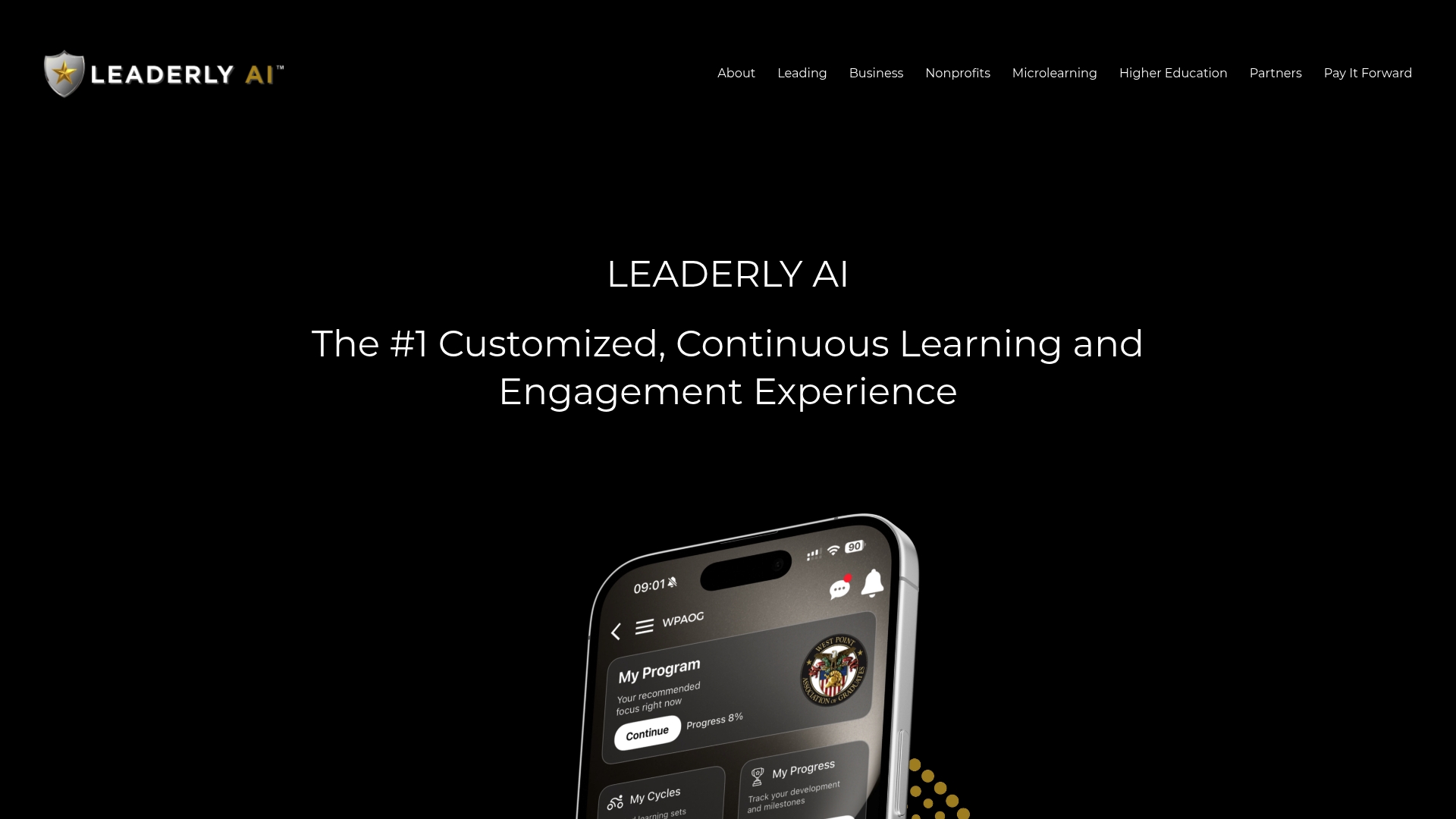
- Automatic enrollment tied to role and skill data, no manual list building
- Analytics dashboards that tie completion back to leadership behavior change
| Next step | What it gets you |
|---|---|
| Request a demo | See how role-based enrollment works with your data |
| Evaluate a pilot | Test personalized microlearning with a real team before a full rollout |
See how it fits your organization on our business page, or explore the Leaderly AI platform directly.
FAQ
What is HRIS integration?
HRIS integration connects your human resources information system to other workplace software, such as a learning platform or payroll system, so employee data moves automatically instead of through manual entry. The goal is usually to keep one system as the source of truth for a given field while other systems consume that data for their own purpose, like enrollment or reporting.
What are the 5 types of HRIS?
Common categorizations group HRIS by deployment and scope: operational systems handling day-to-day transactions, tactical systems supporting resource planning, strategic systems informing workforce decisions, and comprehensive or integrated suites combining multiple functions. Definitions vary by source, and some vendors describe HRIS by module (payroll, benefits, performance, learning, analytics) rather than by this five-type framework.
How do I learn HRIS?
Start with a vendor-neutral overview of what an HRIS does and how it fits into broader HR operations, such as TechTarget's HRIS definition, then study your specific platform's documentation. Hands-on practice with field mapping, provisioning rules, and reporting inside a sandbox environment teaches more than reading alone.
What are the four major components of HRIS?
Most practical breakdowns include a database for storing employee records, input functions for capturing and updating data, output functions like reports and analytics, and a maintenance function for keeping data accurate over time. Oracle's overview of HRIS frames these as working together to serve as a centralized source for payroll, learning, and workforce processes.
How does Leaderly support HRIS-connected learning?
Leaderly AI uses role and skill data to automatically enroll employees into personalized leadership microlearning journeys once that data is synced from your HRIS. Pricing and deployment details are available on request through our business page.
Sources
- What is HRIS? | TechTarget
- Integrating a Human Resource Information System: A Module with Case | SHRM
- LinkedIn Learning and Workday Deep Integration Functionality Guide (CCL) - Microsoft Learn
- What Is HRIS? | Oracle