
Implementing single sign on lms integration is worth doing for nearly every organization running a learning platform. Favor OpenID Connect when your identity provider is cloud native or you need mobile support; fall back to SAML 2.0 only when legacy infrastructure or compliance mandates it. Whichever protocol you pick, budget time for multi-factor authentication, SCIM provisioning, and Single Logout. Skip any of those three and you'll be fielding help desk tickets within a month.
TL;DR:
- Use OpenID Connect for cloud-native identity providers and mobile support, but consider SAML 2.0 for legacy systems and strict compliance needs.
- Both SP-initiated and IdP-initiated flows must be tested thoroughly, as each addresses different user entry points and potential failure modes.
- Automate key management with JWKS for OIDC or schedule certificate renewals in SAML to prevent silent authentication failures caused by expired credentials.
- Proper attribute mapping and SCIM provisioning are critical for correct role assignment and automation, especially at scale beyond a few hundred users.
- Always set up Single Logout to prevent lingering sessions, and keep a local admin account as a backup for outages or misconfigurations.
Table of Contents
- How Single Sign On Works in an LMS
- SSO Protocols Compared: SAML vs. OIDC vs. OAuth
- Step-by-Step Implementation Checklist for LMS SSO
- Attribute Mapping and SCIM Provisioning for Roles
- Single Logout, MFA Signals, and Mobile App Support
- Testing Your SSO Setup and Fixing Common Errors
- Security Controls That Keep LMS SSO Auditable
- What to Budget: Timeline and Cost for LMS SSO Projects
- Lessons From Deploying SSO Across Learning Platforms
- Why Most SSO Advice Skips the Parts That Actually Break
- Leaderlyapp Makes SSO Setup a Non-Issue for Learning Programs
- Sources
How Single Sign On Works in an LMS
Every LMS SSO integration involves two actors: the identity provider (IdP), which authenticates the user, and the service provider (SP), which is the LMS itself. The IdP holds the credentials and vouches for the person; the LMS trusts that vouch instead of asking for a password directly.
There are two ways that trust gets established, and the direction matters more than most implementers expect.
- SP-initiated flow: the learner clicks a link inside the LMS, gets redirected to the IdP, authenticates, and lands back on the exact course page they wanted.
- IdP-initiated flow: the learner starts at a corporate portal or app launcher and clicks an LMS tile, which pushes them into the platform already authenticated.
Both flows need to work, because employees rarely enter your system the same way twice. A new hire might click an email link straight into a course (SP-initiated); a returning learner might launch the LMS from an Okta or Azure AD dashboard (IdP-initiated). If you only test one direction, you'll ship an integration that half your users can't reach.
The token format matters as much as the flow direction. SAML assertions are signed XML documents containing the user's identity and attributes, passed via browser redirect. OIDC ID tokens are signed JSON Web Tokens carrying similar identity claims, but built on OAuth 2.0's authorization framework. That last point trips up a lot of teams: OAuth 2.0 by itself only handles authorization, granting access to resources. It was never designed to authenticate a person. If your IdP only speaks OAuth, you need OIDC layered on top to actually confirm who's logging in.
SSO Protocols Compared: SAML vs. OIDC vs. OAuth
Picking the wrong protocol early costs weeks later, once role mappings and mobile app requirements are already built around it. The decision generally comes down to three questions: How old is your identity provider? Do you need mobile or single-page app support? And does your industry require detailed assertion logging?
SAML 2.0 remains the right call when you're tied to a legacy IdP, or when regulatory audits demand the kind of verbose, signed assertion trail SAML produces natively. OIDC wins almost everywhere else, particularly for cloud-native IdPs and any LMS with a mobile app, since LMSpedia's comparison of the two protocols notes OIDC's JWKS-based key rotation is far less operationally painful than manually swapping X.509 certificates.
| Factor | SAML 2.0 | OIDC + OAuth 2.0 |
|---|---|---|
| Best fit | Legacy IdPs, strict audit needs | Cloud-native IdPs, mobile/SPA apps |
| Token format | Signed XML assertion | Signed JWT (ID token) |
| Key rotation | Manual X.509 certificate renewal reminders | Automated via JWKS endpoint |
| Mobile support | Redirect-heavy, awkward for native apps | Native support with PKCE |
| API access | Not built for this | OAuth 2.0 handles token-based API calls |
If your LMS also needs to call external APIs on the learner's behalf, that's OAuth's job, not OIDC's. Pair the two: OIDC authenticates the person, OAuth 2.0 authorizes the resource access.
Step-by-Step Implementation Checklist for LMS SSO
Configuring the connection is mostly mechanical once you know the order of operations. Skip a step and you'll be debugging a blank error page at 4:00 PM on a Friday.
- Obtain and import IdP metadata. Pull the metadata XML (SAML) or discovery document (OIDC, usually at
/.well-known/openid-configuration) directly from your IdP rather than typing certificate strings by hand. Microsoft's LearnUpon integration tutorial walks through this exact export/import sequence for Azure AD. - Set your SAML fields precisely. Configure the Assertion Consumer Service (ACS) URL, the EntityID, the NameID format, and the correct binding (usually HTTP-POST) exactly as your LMS vendor documents them. A mismatched ACS URL is the single most common cause of a failed handshake.
- Register the OIDC client. If you're going the OIDC route instead, register your LMS as a client application, set the redirect URI, and confirm the authorization code flow (not implicit) is enabled.
- Plan for key rotation up front. Use JWKS for OIDC so keys rotate automatically. For SAML, schedule X.509 certificate renewal reminders. Certificates expire quietly and take down authentication with zero warning.
- Configure Single Logout. Set the SingleLogoutService endpoint for SAML, or the
end_session_endpointandpost_logout_redirect_urifor OIDC, so logging out of the LMS actually logs the user out at the IdP too. - Pilot with a small test group. Run five to ten real users through both SP-initiated and IdP-initiated flows before opening it to the whole organization.
- Enable SCIM if your IdP and LMS both support it. This automates account creation, updates, and deactivation instead of relying on manual imports.
Pro Tip: Keep a documented emergency local admin account outside of SSO. When your identity provider has an outage, and eventually it will, you need a way into the LMS that doesn't depend on the thing that just broke.
The pilot step deserves more weight than most checklists give it. Microsoft's own deployment guidance recommends testing both flow directions with real accounts before wide rollout, precisely because IdP-initiated failures often hide behind a successful SP-initiated test.
Attribute Mapping and SCIM Provisioning for Roles
Getting someone authenticated is only half the job. The LMS also needs to know who they are inside your organization: are they a learner, an instructor, or an admin?
Most identity providers pass a standard set of attributes you'll map into LMS fields:
- Email address — usually the login identifier, but not always the safest one to key on.
- Unique user ID (
subin OIDC,NameIDin SAML) — pick this as your permanent identifier instead of email, since emails change when people get married, switch departments, or the company rebrands. - Given name and family name — for display and certificates.
- Department or group membership — the attribute most LMS platforms use to drive role mapping.
Role mapping typically follows department or group claims: a "Sales" group maps to learner access, an "L&D" group maps to instructor permissions, and a small IT security group maps to admin rights. Get this wrong and you'll either lock out instructors or, worse, hand admin rights to the wrong group.
SCIM (System for Cross-domain Identity Management) automates the account lifecycle on top of SSO. It's worth enabling once you're past a few hundred users, because manual account creation and deactivation becomes a real risk. The upside is fast deprovisioning when someone leaves. The risk is that a misconfigured SCIM job can deactivate the wrong group in bulk, so test deprovisioning rules in a staging environment before trusting them in production. LMSpedia's guide to LMS-specific SSO gotchas flags this exact provisioning risk as one of the most overlooked pieces of a rollout.

Single Logout, MFA Signals, and Mobile App Support
Single Logout gets skipped constantly, and it shouldn't. Without it, a user who logs out of the LMS on a shared lab computer stays authenticated at the identity provider, which means the next person who opens a browser tab can walk right back in.
- Configure the SingleLogoutService binding on the SAML side so the LMS can send a logout request the IdP actually honors.
- For OIDC, set the
end_session_endpointand passid_token_hintso the IdP knows which session to terminate. - Read the
amr(Authentication Methods Reference) claim from the token if you need the LMS to confirm MFA actually happened, rather than just trusting a plain login. - Use OIDC with PKCE for any mobile app or single-page app; LMSpedia notes SAML's redirect-heavy design makes it a poor fit for app-native authentication flows.
Testing Your SSO Setup and Fixing Common Errors
Test both directions before you call the integration done. SP-initiated flows catch most configuration errors, but IdP-initiated flows expose a different set: broken RelayState handling, wrong deep links, or a landing page that ignores where the user actually meant to go.
- Trace the assertion. For SAML, a browser extension like SAML-tracer shows you the exact XML being exchanged, which is faster than guessing from an error page.
- Inspect the OIDC discovery document and JWT payload. Confirm the issuer, audience, and expiry claims match what your LMS expects.
- Check for ACS URL mismatches. This is the most frequent SAML failure and usually a copy-paste error between environments (staging vs. production).
- Verify certificate validity. An expired or rotated certificate on either side breaks the signature check silently.
- Confirm required attributes are actually being sent. A missing email or group claim will authenticate the user but fail to provision their role.
- Check system clocks. Clock skew between IdP and LMS servers beyond a few minutes causes token validation to fail even when everything else is correct.
Pro Tip: When a SAML login fails with a generic "invalid response" message, check the clock first. Clock skew causes more false alarms than actual certificate problems.
Security Controls That Keep LMS SSO Auditable
Enforce MFA at the identity provider level, and confirm your LMS actually reads the resulting claim instead of just trusting a successful redirect. A login that skips MFA because the LMS never checked the amr claim defeats the entire point of centralizing authentication.
- Rotate signing keys on a schedule; prefer JWKS auto rotation over manual X.509 certificate swaps wherever your protocol allows it.
- Log every assertion and access event if your industry requires an audit trail, and retain those logs according to whatever regulation applies to your sector.
- Keep at least one emergency local admin account that bypasses SSO entirely, for the day your identity provider has an outage.
The security case for centralizing authentication is not abstract. Password reuse across accounts is widespread enough that security researchers and vendors alike point to it as one of the strongest justifications for SSO, since Wikipedia's overview of single sign-on notes that centralized authentication removes the repeated password entry that drives reuse in the first place.
What to Budget: Timeline and Cost for LMS SSO Projects
A single, well-documented IdP-to-LMS connection with no custom attribute mapping can go live in a few hours to a couple of days. Add SCIM provisioning, custom role mapping, or a legacy SAML IdP with unusual metadata, and plan for two to four weeks instead.
Cost drivers usually fall into three buckets: your identity provider's licensing tier (some MFA and SCIM features sit behind premium plans), any consultancy or vendor integration fees your LMS charges for SSO setup, and the internal QA time spent testing both flow directions. Rolling out to a pilot group first, rather than the whole organization at once, catches configuration errors while the blast radius is still small.
Lessons From Deploying SSO Across Learning Platforms
Leaderlyapp treats OIDC as the default recommendation for organizations with mobile-heavy learner populations, since PKCE-backed flows hold up far better on phones than SAML's redirect chains ever do. For larger rollouts, SCIM provisioning stops being optional almost as soon as headcount crosses a few hundred people. Manual account management at that scale isn't a staffing problem, it's a structural one.
The most consistent lesson across deployments is boring but important: pick a stable unique identifier before you map a single attribute. Teams that key user records on email address usually regret it within a year, once someone changes departments or the company goes through a rebrand and email domains shift.
Attribute hygiene matters more than people expect going in. Before any SSO rollout, audit what your identity provider is actually sending: are group names consistent, are department fields populated for everyone, is there a stray group with three hundred stale accounts inside it? A messy source system produces a messy role-mapped LMS, no matter how clean the SSO configuration itself is. Explore how a scalable HR learning platform handles provisioning at that scale before locking in your own approach.
Why Most SSO Advice Skips the Parts That Actually Break
Most SSO guides read like they were written for a demo environment where the IdP and LMS were both configured by the same person on the same afternoon. Real deployments aren't like that. The IT team owns the identity provider, someone in HR or L&D owns the LMS contract, and neither side fully understands the other's configuration screen. That gap, not the protocol choice, is where most projects lose weeks.
The conventional advice treats SAML versus OIDC as the central decision. It isn't. Attribute mapping and SCIM hygiene cause more support tickets than protocol choice ever will, because a wrong role mapping silently locks out an instructor while authentication itself works perfectly. Single Logout gets treated as optional far too often, and on any shared or lab-style device, skipping it is a real exposure, not a theoretical one.
If you take one thing from this guide, prioritize the identifier decision before anything else. Every downstream mapping, every SCIM job, every future acquisition or department reshuffle depends on having picked a user identifier that won't change. Get that wrong and you'll be migrating user records for years. Get it right and the rest of the integration is mostly paperwork.
— Drew
Leaderlyapp Makes SSO Setup a Non-Issue for Learning Programs
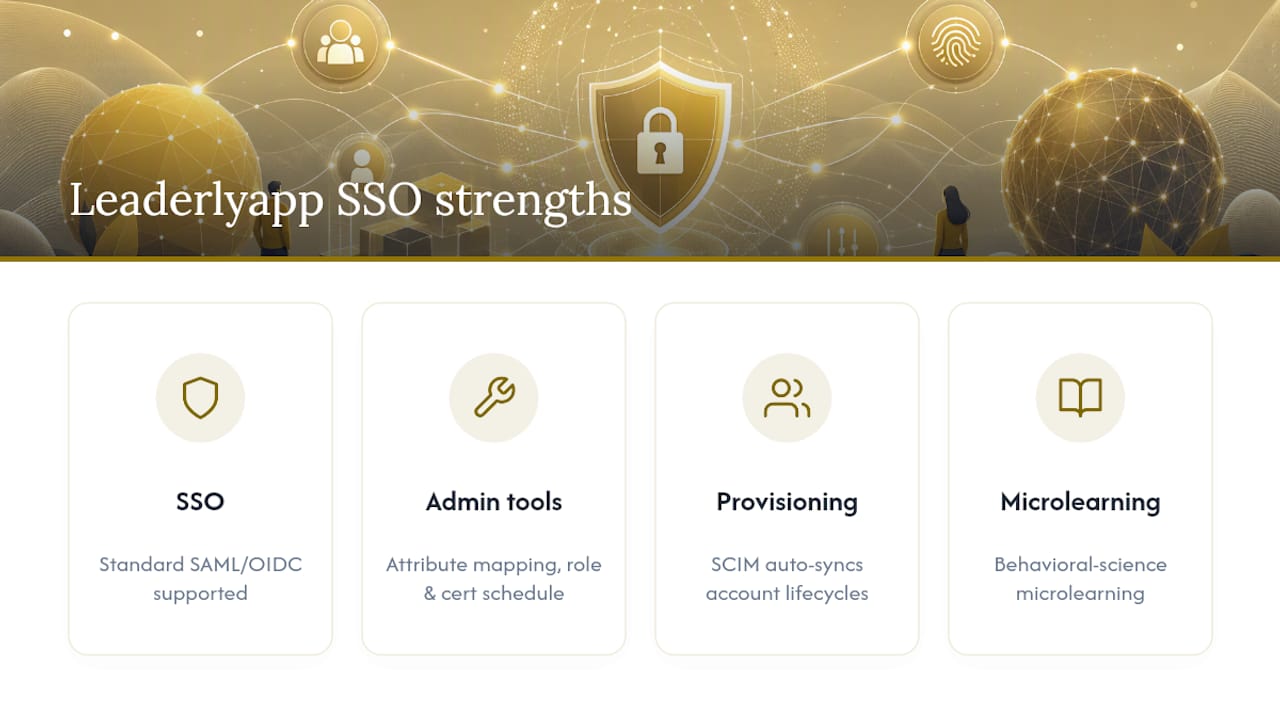
If your organization is choosing a learning platform partly based on how painless the SSO rollout will be, that's a reasonable filter. Leaderlyapp supports standard identity provider integrations out of the box, so your IT team isn't stuck reverse-engineering undocumented fields or waiting on a vendor ticket to get basic SAML or OIDC configuration working.
Beyond authentication, Leaderlyapp's admin tools handle the parts that usually cause the most friction after go-live: attribute mapping, role assignment, and certificate rotation scheduling, all from one dashboard instead of scattered across vendor support threads. SCIM-based provisioning keeps account lifecycles in sync automatically as people join, move between teams, or leave, which matters most for organizations running leadership development programs across departments with different reporting lines. Pair that with personalized microlearning built around behavioral science instead of generic course libraries, and the platform ends up being more than an authentication convenience.
If you're evaluating vendors for an upcoming rollout, book a walkthrough of Leaderlyapp and bring your IT lead. Ask them to configure a test connection during the call. That's usually the fastest way to know whether a platform's SSO claims hold up in practice.
Sources
For deeper protocol-level detail, the Azure AD to LearnUpon SSO tutorial walks through real metadata configuration steps. LMSpedia's SAML vs. OIDC guide covers LMS-specific provisioning and logout gotchas in more depth. Wikipedia's single sign-on overview provides neutral background on the underlying concepts and protocol families.