
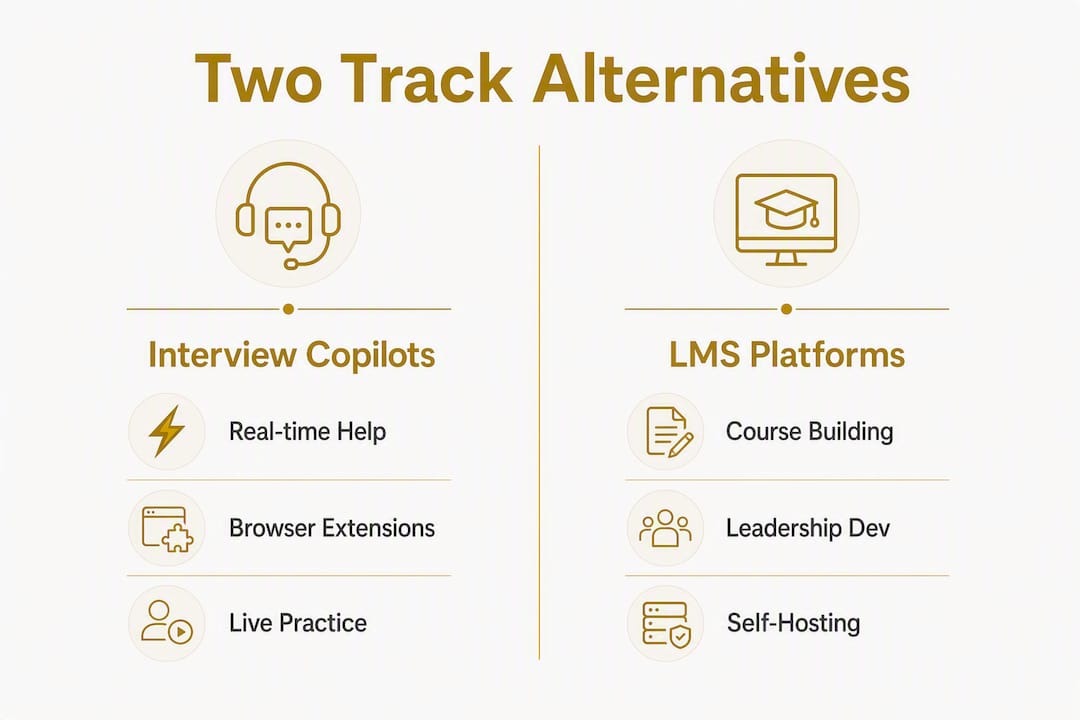
If you landed here looking for a replacement for 3sensei.com's Sensei product, the first thing worth knowing is that "Sensei" covers two completely different tools: a real-time AI interview copilot and a WordPress LMS plugin. The right substitute depends entirely on which one you were using.
For interview copilots (real-time help during live interviews): Interview Sidekick, Final Round AI, LockedIn AI, Cluely, Verve AI, OphyAI, and Pramp are the strongest picks in 2026. For low-cost native-desktop coverage, tools advertising a flat $19/month model with free credits are worth evaluating first.
For LMS and leadership development platforms: LearnDash and LearnPress lead the WordPress-native options. LearnHouse, ClassroomIO, and CourseLit cover the open-source self-hosted lane. For organizations that need AI-driven leadership development at scale, not just a course shell, Leaderlyapp is the recommended choice.
Quick orientation before you read further:
- Individual candidates prepping for FAANG-style interviews: go to the interview-copilot section below.
- LMS admins replacing Sensei's WordPress plugin: jump to the LMS alternatives section.
- HR leaders and L&D teams building leadership programs: the Leaderlyapp section near the end is where you want to start.
- Security-conscious buyers: latency and detection posture matter as much as feature lists. Sub-1-second response is the benchmark; SOC 2 attestation is the floor for enterprise use.
Table of Contents
- What are the best interview-copilot alternatives to Sensei?
- Which LMS platforms replace Sensei's WordPress plugin?
- How do you choose the right alternative for your situation?
- Pricing and deployment at a glance
- How we evaluated these alternatives
- Key Takeaways
- The case for picking the right tool, not the most popular one
- Leaderlyapp fits where generic LMS tools fall short
- Authoritative sources and further reading
What are the best interview-copilot alternatives to Sensei?
Sensei AI runs as a Chrome extension only, which creates a real detection risk: during full-screen or shared-screen interviews, the extension can be visible to proctoring software or a sharp-eyed interviewer. Independent reviews confirm this limitation and point to desktop-native overlays as the more reliable stealth approach. That single distinction splits the copilot market into two tiers worth knowing.
Latency is the other dividing line. Sub-1-second response keeps conversational flow intact. Anything in the 5–10 second range is noticeable and, in a live interview, genuinely disruptive. Test this in your actual environment before you commit to a paid plan.
Comparison table: interview copilots
| Tool | Best for | Pricing | Platform | Core features | Privacy & security | Integrations | Setup ease |
|---|---|---|---|---|---|---|---|
| Interview Sidekick | Structured prep + real-time support | Free tier; paid plans available | Browser | Real-time answers, question bank, mock interviews | Standard privacy policy | Zoom, Teams | Very easy |
| Final Round AI | FAANG-style behavioral + technical prep | Free tier; monthly plans | Browser + desktop | Real-time copilot, mock interviews, resume review | Privacy policy published | Zoom, Teams | Easy |
| OphyAI | Quick real-time answer generation | Free credits; paid tiers | Browser | Real-time suggestions, question bank | Standard disclosures | Zoom | Easy |
| LockedIn AI | Stealth-focused real-time support | Free tier; premium stealth tier | Desktop-native | OS-level overlay, real-time answers | Privacy policy; no known breach | Zoom, Teams | Moderate |
| Cluely | Candidates wanting minimal footprint | Free trial; paid monthly | Desktop-native | Overlay, real-time coaching | Privacy policy published | Zoom | Moderate |
| Verve AI | All-in-one prep and live support | Free tier; monthly/annual | Browser + mobile | Mock interviews, real-time copilot, question bank | SOC 2 in progress (verify current status) | Zoom, Teams | Easy |
| Pramp | Peer-to-peer mock interview practice | Free (core) | Browser | Live peer sessions, structured feedback | Standard privacy | None required | Very easy |
Per-tool summaries
Interview Sidekick covers both prep and live support in one place. The question bank is genuinely broad, and the real-time answer layer works well for behavioral rounds. It is browser-based, so run a stealth check before using it on a screen-share interview.

Final Round AI leans hard into FAANG preparation. The behavioral coaching layer is detailed, and the resume review adds value beyond the interview itself. Pricing includes a free tier, though the most capable real-time features sit behind a paid plan.
OphyAI is a lighter-weight option for candidates who want fast answer generation without a lot of setup. The free credit model lets you test it before spending anything, which is useful for one-off interview sprints.
LockedIn AI operates at the OS level rather than as a browser extension. That matters for stealth: a desktop-native overlay is significantly harder to detect during screen sharing than a Chrome extension. Setup takes a few more minutes, but the trade-off is worth it for high-stakes interviews.
Cluely takes a similar native approach. It is a smaller product with a tighter feature set, but candidates who want a minimal footprint and clean overlay will find it fits that need well.
Verve AI is the closest to an all-in-one platform in this category. Mock interviews, a real-time copilot, and a question bank in a single subscription. Check their current SOC 2 status directly on their site before committing if security is a hard requirement.
Pramp is the outlier here: it is peer-to-peer, free at its core, and built entirely around live practice with other candidates. No AI overlay, no real-time suggestions. If you want to sharpen your delivery and get honest feedback from someone in the same position, Pramp is the most cost-effective way to do it.
Pricing snapshot and stealth costs
Free tiers across this category typically include 15-minute session caps or 15 free credits per month. That is enough to evaluate latency and interface quality, but not enough for sustained prep. Flat monthly pricing at $19/month is the low end of paid interview copilots; tools like LastRound AI explicitly advertise this model with 15 free credits per month. True stealth features are often gated behind premium tiers, which can raise the monthly cost to $75 or more for invisible dock modes, process name masking, and screen-recording protection. Budget for the stealth tier, not the base tier, if undetectability is a hard requirement.
One security note worth flagging: a mid-2025 data breach at one interview-copilot vendor exposed a significant number of records. The vendor disclosed it, which is a positive sign, but it is a reminder that professional users should verify a provider's security posture before handing over account credentials and interview recordings.
Pro Tip: Run a timed test session in your actual interview environment, on the same network and device you will use on interview day, before buying any paid plan. Vendors claiming sub-1-second latency should be validated with a real timed session, not just marketing copy.
Which LMS platforms replace Sensei's WordPress plugin?
The Sensei LMS plugin is a WordPress-native course builder. Its replacements fall into two groups: WordPress plugins that slot into an existing site, and standalone hosted platforms that handle everything outside WordPress. The right choice depends on whether you want to keep your WordPress stack or move to a managed SaaS environment.
Modular WordPress plugins with a free core and paid add-ons consistently reduce total cost of ownership compared with monolithic commercial LMS suites. The logic is simple: you pay for the capabilities you actually use rather than a bundled license full of features you will never touch.
Comparison table: LMS and learning platforms
| Platform | Best for | Pricing | Deployment | Core features | Privacy & security | Integrations | Admin overhead |
|---|---|---|---|---|---|---|---|
| LearnPress | Budget-conscious WordPress sites | Free core + paid add-ons | WordPress plugin | Courses, quizzes, certificates, add-ons | Standard WP security | WooCommerce, payment gateways | Low |
| LearnDash | Professional course creators, enterprises | From ~$199/year | WordPress plugin | SCORM, xAPI, gamification, groups, advanced quizzes | Solid; widely audited | WooCommerce, Zapier, HRIS | Moderate |
| LearnHouse | Self-hosted open-source orgs | Free (self-hosted) | Standalone SaaS or self-hosted | Courses, blocks-based content, multi-org | Self-managed | API-first | Moderate |
| ClassroomIO | Nonprofits and small teams | Free (open-source) | Self-hosted | Courses, assignments, community features | Self-managed | Limited out-of-box | Low to moderate |
| CourseLit | Developers and lean teams | Free (open-source) | Self-hosted | Course builder, payments, email | Self-managed | API, custom integrations | Moderate |
Per-platform summaries
LearnPress is the most cost-effective entry point for WordPress sites. The free core plugin handles the basics: courses, quizzes, and certificates. You add capabilities through individual add-ons rather than paying for a bundle. That modular approach avoids the ecosystem lock-in that comes with paying for features you will never enable. The trade-off is that a heavily add-on-loaded site can get complex to maintain.
LearnDash is the production-grade option for organizations that need SCORM and xAPI support, advanced quiz logic, group management, and reliable WooCommerce integration. At roughly $199/year for a single site license, it is not free, but it is well-documented, widely used, and has a large support ecosystem. For leadership programs that need compliance tracking or formal certification, LearnDash handles it cleanly.
LearnHouse, ClassroomIO, and CourseLit are the leading open-source picks for organizations that prefer self-hosting. Each takes a different angle. LearnHouse uses a blocks-based content model and supports multi-organization setups, which suits networks or consortia. ClassroomIO leans toward community-driven learning and works well for nonprofits and small teams that want a simple, free platform. CourseLit is the most developer-friendly of the three, with an API-first design and built-in payment handling.
The honest trade-off with all three open-source options: you own the infrastructure, which means you own the security patching, uptime, and backups. That is fine for a team with technical capacity; it is a real burden for an L&D team that just wants to run programs.
Pricing guidance by buyer size
Small teams (under 50 users) will find LearnPress or ClassroomIO covers most needs at minimal cost. A single LearnPress add-on or two handles the gaps. Mid-size organizations (50–500 users) should evaluate LearnDash seriously: the per-site license cost amortizes quickly once you factor in the time saved on custom development. Enterprise buyers (500+ users) need to weigh WordPress hosting scalability, SSO/SCIM support, and analytics export against the cost of a dedicated LMS. At that scale, a purpose-built platform often makes more sense than a WordPress plugin.
For leadership-specific programs, none of these platforms includes AI-driven personalization, behavioral habit-building, or DiSC/EQ/MBTI assessments out of the box. That is where a platform like Leaderlyapp, built specifically for leadership development, covers ground that a generic LMS cannot.
How do you choose the right alternative for your situation?
The first decision is not which tool to buy; it is which job you need done. Real-time interview support and long-term knowledge-building are different problems. Mixing them in one procurement decision overcomplicates both the budget and the evaluation.
Step-by-step decision checklist
- Define your job-to-be-done. Are you a candidate who needs live tactical support during an interview? A candidate building knowledge over weeks? An organization running leadership programs at scale? The answer determines which section of this article applies to you.
- Test latency in your real environment. Use a vendor trial on the same device and network you will use on interview day. Sub-1-second response is the target; anything above 5 seconds is a problem.
- Verify stealth posture. Browser extensions are easier to install but detectable on full-screen shares. Desktop-native overlays operate at the OS level and are harder to detect. Confirm which architecture the tool uses before paying.
- Check data handling and privacy. Read the privacy policy. Ask whether interview recordings are stored, for how long, and whether they are used for model training. The mid-2025 breach affecting roughly 83,000 records at one vendor is a reminder that this is not a theoretical concern.
- Trial integration with your target platforms. If you use Zoom or Teams, test the overlay in a real call. If you are evaluating an LMS, test SSO and your analytics export before signing a contract.
- Estimate total cost of ownership. Add the stealth tier, not just the base price. For LMS buyers, add hosting, add-on costs, and admin time.
Questions to ask every vendor
- Is the overlay desktop-native or browser-based?
- Are there session caps on the free or base tier?
- What does the stealth tier cost, and what exactly does it include?
- Do you hold SOC 2 Type II or ISO 27001 attestation? Can you share the report?
- How long are session recordings and transcripts retained? Can users delete them?
- Do you support SSO and SCIM provisioning for enterprise deployments?
- What does your admin reporting dashboard cover, and can data be exported?
- What is the onboarding timeline for enterprise accounts?
Red flags to watch for
- Stealth features buried in a premium tier with no clear pricing on the main page
- Session limits that are not disclosed until after signup
- Browser-only overlay with no desktop-native option for screen-share interviews
- No published security posture, SOC 2 report, or privacy policy
- Customer support limited to a help center with no SLA for enterprise accounts
When Leaderlyapp is the right answer: If the buyer is an HR leader, an L&D team, a nonprofit, or a university looking to build leadership capability across a workforce, not just prepare individuals for interviews, Leaderlyapp is the correct category. It delivers AI-driven microlearning, behavioral habit-building, DiSC/EQ/MBTI assessments, and analytics dashboards in a mobile-first platform built for organizational scale. A lightweight interview copilot or a WordPress LMS plugin solves a different problem. Leaderlyapp solves the leadership skills gap at the organizational level.
Pricing and deployment at a glance
Cost profiles by category
| Category | Free tier | Low-end monthly | Enterprise / annual |
|---|---|---|---|
| Interview copilots (browser) | 15-min sessions or credit caps | $19/month | Varies; stealth tiers add cost |
| Interview copilots (desktop-native) | 15 free credits per month, then paid | $19/month | Stealth tiers can reach $75+/month |
| WordPress LMS plugins | Free core (LearnPress) | Add-ons from ~$30/year | LearnDash ~$199+/year per site |
| Open-source LMS (self-hosted) | Free | Hosting costs only | Infrastructure + admin overhead |
| AI leadership platforms | Demo/trial | Custom pricing | Custom enterprise plans |
Prices above reflect publicly available examples and should be verified directly on vendor sites before purchase. Pricing changes frequently in this category.
Deployment trade-offs
- Desktop-native overlays (LockedIn AI, Cluely): stronger stealth, harder to detect on screen shares, but require installation and occasional OS-level permission grants. Best for high-stakes interviews where detection risk is a real concern.
- Browser extensions (Sensei AI, some Verve AI modes): fast to install, easy to update, but visible during full-screen shares and detectable by proctoring software. Fine for low-stakes prep; risky for formal interviews.
- WordPress plugins (LearnPress, LearnDash): you control the environment, but you own the hosting, security, and performance. A slow host degrades the learner experience in ways a SaaS platform handles for you.
Three buyer scenarios
Individual candidate, one-time interview sprint: Start with a free tier on Pramp for peer practice, then add a paid copilot plan for the final two weeks. Total cost: $0–$40 for a focused prep window.
50-person startup building onboarding courses: LearnPress with two or three targeted add-ons covers most needs. Budget roughly $100–$200/year in add-ons plus hosting. LearnDash is worth the upgrade if you need SCORM compliance or group management.
2,000-person enterprise running leadership development: A WordPress plugin is the wrong tool at this scale. The combination of hosting complexity, SSO requirements, analytics needs, and content management overhead points toward a purpose-built platform. Leaderlyapp's enterprise tier handles scalability, personalization, and analytics without the infrastructure burden of a self-hosted WordPress stack.
How we evaluated these alternatives
Transparency matters here, especially given the mid-2025 security incident in the interview-copilot space. The evaluation criteria used to build this guide:
- Latency posture: — published claims were cross-referenced with independent reviews and user reports. Sub-1-second response was the benchmark.
Sources include product pages, Capterra alternatives listings, G2 competitor data, independent review sites, and open-source directories. Checks were performed in early 2026. Features and pricing in this category change quickly. Always trial a tool in your real environment and verify current pricing on the vendor's site before committing.
Key Takeaways
The single most important decision in this evaluation is which track you are on: interview copilots solve a candidate's live-interview problem, while LMS and leadership platforms solve an organization's capability-building problem. Mixing the two in one evaluation wastes time and budget.
| Point | Details |
|---|---|
| Two distinct tracks | Interview copilots and LMS/leadership platforms solve different problems; choose the track before evaluating tools. |
| Stealth costs more than advertised | True stealth features are often gated behind premium tiers that can reach $75+/month, well above base pricing. |
| Latency benchmark | Sub-1-second response is the target for real-time copilots; 5–10 second delays are disruptive in live interviews. |
| Open-source LMS trade-off | LearnHouse, ClassroomIO, and CourseLit are free to self-host but transfer infrastructure and security responsibility to you. |
| Leaderlyapp for organizations | HR teams, nonprofits, and universities building scalable leadership programs should evaluate Leaderlyapp over generic LMS plugins. |
The case for picking the right tool, not the most popular one
There is a pattern worth naming in how people shop for Sensei alternatives. Most comparison articles treat interview copilots and LMS platforms as if they compete with each other. They do not. A candidate prepping for a Google interview and an HR director building a leadership curriculum for 500 employees have nothing in common except the word "learning." Conflating them leads to bad purchases.
The stealth pricing issue is the other thing most guides understate. When a tool advertises $19/month and buries the real stealth tier at $75+, that is not a minor footnote. For a candidate running a three-month job search, the difference between the base price and the stealth price is the difference between a $57 spend and a $225 spend. LastRound AI, for example, advertises a flat $19/month model with 15 free credits per month, but stealth tier features can drive the price much higher. Read the pricing page carefully, specifically the tier that includes invisible dock mode and screen-recording protection, before you assume you know what the tool costs.
On the LMS side: the open-source options are genuinely good, but "free" is doing a lot of work in that sentence. Self-hosting means you are the sysadmin. For a lean L&D team that wants to run programs, not manage servers, a hosted platform is worth the subscription cost. The question is not whether open-source is cheaper in theory. It is whether your team has the capacity to make it cheaper in practice.
For organizations serious about developing leadership skills rather than just hosting courses, the gap between a generic LMS and a purpose-built leadership platform is significant. A course shell does not build habits. Behavioral microlearning, personalized journeys, and assessment-backed development do. That distinction is where Leaderlyapp earns its place in this comparison.
*— Drew
Leaderlyapp fits where generic LMS tools fall short
If your organization's goal is building leaders, not just hosting content, most of the tools in this guide will leave you short. LearnDash and LearnPress are excellent course platforms. They do not deliver AI-driven personalization, behavioral habit-building, or the kind of analytics that tell you whether leadership capability is actually improving.
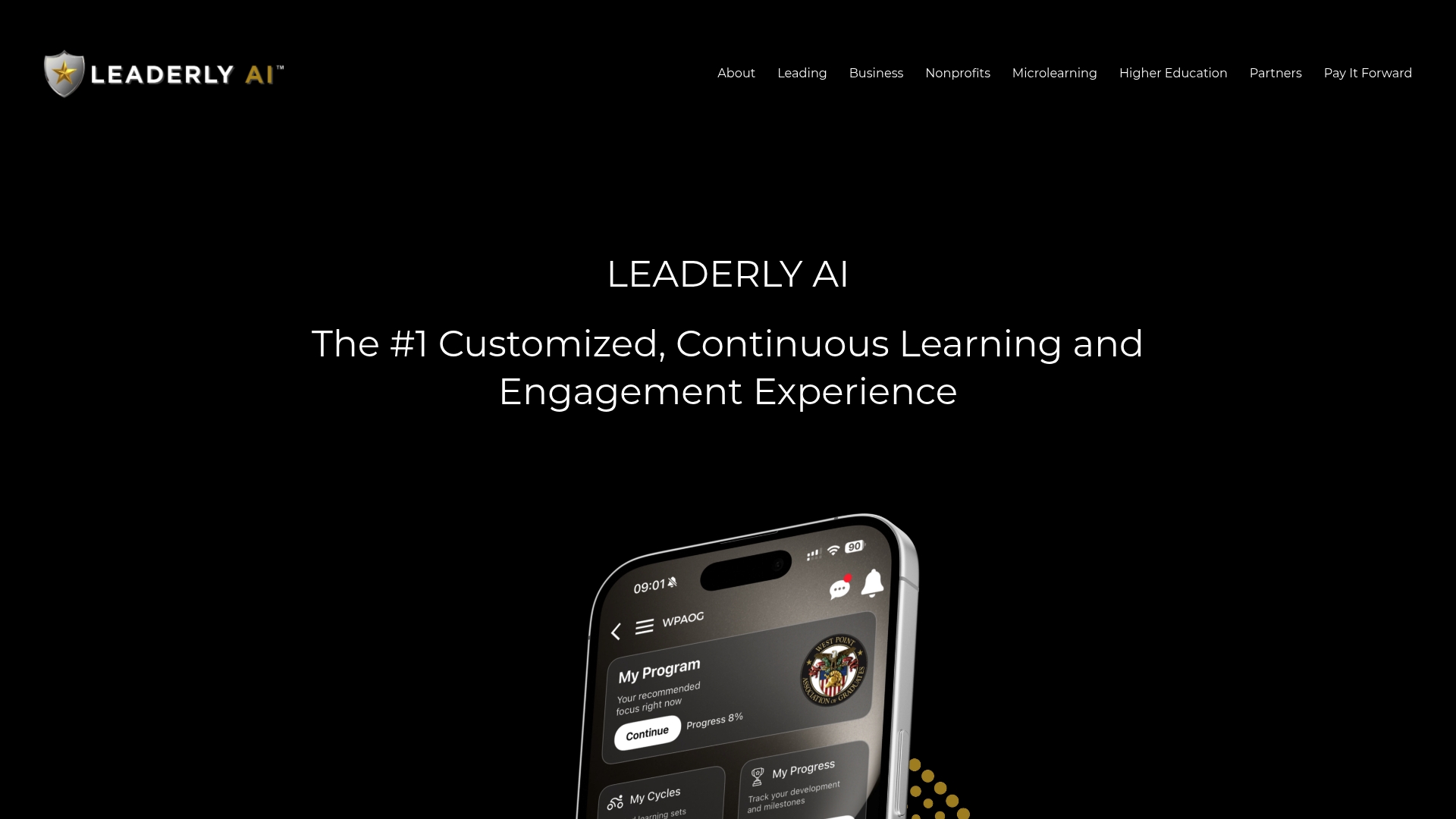

Leaderlyapp is built for exactly that gap. It is a mobile-first platform that delivers personalized microlessons, DiSC, EQ, and MBTI-backed assessments, gamified recognition, and an analytics dashboard that gives HR leaders real visibility into development progress. It scales from a 50-person nonprofit to a 2,000-person enterprise without requiring a WordPress hosting setup or a dedicated LMS administrator.
The customer profile that fits Leaderlyapp best: HR professionals and L&D teams who need to move beyond course completion rates and into measurable behavior change. Nonprofits, universities, and corporate L&D teams running leadership training programs at scale are the core use case.
Key capabilities that match the evaluation criteria used in this guide: SSO support, customizable learning journeys, self-assessments, content management, surveys, simulations, and enterprise-grade analytics. Onboarding support is included for enterprise accounts.
To see how it fits your organization's specific needs, explore Leaderlyapp's leadership development platform or review the people-centric leadership development resources to understand the pedagogical approach before booking a demo.
Authoritative sources and further reading
Pricing and features in this category change frequently. Verify all figures directly on vendor sites before making a purchase decision.
- Capterra: Alternatives to Sensei — aggregated user reviews and feature comparisons for Sensei LMS alternatives.
- G2: Top Sensei Cloud Competitors and Alternatives — peer review data and competitive positioning for Sensei Cloud.